/devices/pseudo/bitbucket@0,0:pseudoMusings from the bitbucket | |
|
… I wrote this: https://www.jmcpdotcom.com/blog/2012/04/18/js-being-admitted-to-the-wesley/ F.You blobby, she’s with us and in muchmuch better shape than back then. I recently took delivery of a Mikrotik Cloud Router Switch (CRS109-8G-1S-2HnD-IN), purchased via their Australian distributor Duxtel – which happens to be a sponsor of SAGE-Au. I’d been thinking for while about putting my modem into pure bridge mode and using something smarter to do routing and firewall duties, and with the addition of some new networking kit to our home environment, now was the time to make it happen. Our existing AP is another Mikrotik unit, the 5-port RB951G-2HnD (also purchased via Duxtel), and we’ve been really happy with its performance sitting in the loungeroom under the tv. Ok, when I say “we” I mean “me” because it’s been absolutely rock solid and very high performance. That makes for a happy userbase. Back to the new kit. The first thing I did was to set up the pppoe client (easy) running on port ether1. Then I proceeded to port mapping, so that my public services (like the one you’re reading this on) were appropriately mapped to my dmz host. Certain useful firewall rules were added, and then I tried to get IPv6 setup, and managed to muck things up. Boo. I’m not exactly sure what I got wrong, but it took me until just a few days ago to get it right. In that time I’ve read quite a few blog and forum posts, all of which helped me get to the right place. I don’t recall specifically whether any one was more useful than another, so I’ll just offer a general thankyou to everybody who posted in any form about their problems and solutions. Here’s my solution. Firstly, I’ve got a bridge, comprised of all the ports except ether1 – and named allports-1. Secondly, I run the IPv6 dhcp client on the virtual interface for the pppoe connection. This is not asking for an address, only a prefix delegation. Until I turned off asking for an address as well, I couldn’t get the client to bind. That feeds into my local pool, which is providing a prefix hint of ::/64, and a prefix length of 64. (I get a /56 from Internode, which I think is more than I’m ever going to need, even if I IoT all the things under this roof). Thirdly, while I could run an IPv6 server on one of my Solaris systems, I choose not to, using the Mikrotik’s server instead. This is running on ether2-master, and serving out from the local pool. Fourth, addresses. It was this bit which caused me all the grief. In the config which now works, I have assigned an address to my bridge allports-1 and an address to my gateway port ether1. The address I assigned to ether1 is in fact that of my /56 from Internode. Finally, firewalling. I’m using the standard set of rules here – accept icmpv6 and https, drop telnet. Other notes: I’ve found the serial console to be indispensable, especially since I managed to muck up the IPv4 routing a few times. The ability to send sniffed packets to a different system for capture using wireshark is incredibly useful. Just remember that your wireshark session needs to listen on udp port 37008. Here’s the config export; I hope it’s useful to you:
/interface bridge
add name=allports-1 protocol-mode=none
/interface ethernet
set [ find default-name=ether2 ] name=ether2-master
set [ find default-name=sfp1 ] disabled=yes master-port=ether2-master
/interface wireless
set [ find default-name=wlan1 ] disabled=yes
/interface pppoe-client
add add-default-route=yes default-route-distance=1 disabled=no interface=ether1 keepalive-timeout=disabled name=node-pppoe password=YOURPASSWORD service-name=node \
use-peer-dns=yes user=YOURUSERNAME
/ip neighbor discovery
set ether1 discover=no
/interface ethernet switch
set use-cvid-in-one2one-vlan-lookup=no
/ipv6 dhcp-server
add address-pool=localpool interface=allports-1 name=localserver
/interface bridge port
add bridge=allports-1 interface=ether2-master
add comment=defconf interface=wlan1
add bridge=allports-1 interface=ether3
add bridge=allports-1 interface=ether5
add bridge=allports-1 interface=ether6
add bridge=allports-1 interface=ether7
add bridge=allports-1 interface=ether8
add bridge=allports-1 interface=ether4
/interface bridge settings
set use-ip-firewall=yes use-ip-firewall-for-pppoe=yes use-ip-firewall-for-vlan=yes
/ip settings
set accept-redirects=yes accept-source-route=yes
/ipv6 settings
set accept-router-advertisements=yes
/ip dhcp-client
add comment=defconf dhcp-options=hostname,clientid interface=ether1
/ip dns
set allow-remote-requests=yes
/ip firewall filter
add action=drop chain=input dst-port=23 in-interface=all-ppp log=yes log-prefix=drop23- protocol=tcp
add action=fasttrack-connection chain=forward connection-state=established,related,new in-interface=!all-ppp
add chain=input connection-state=established,related,new
add action=drop chain=input connection-state=invalid
add action=fasttrack-connection chain=input in-interface=!all-ppp
add chain=forward connection-state=established,related,new
add chain=forward in-interface=!all-ppp
/ip firewall nat
add action=dst-nat chain=dstnat dst-port=25 protocol=tcp to-addresses=DMZHOST to-ports=25
add action=dst-nat chain=dstnat dst-port=53 in-interface=all-ppp protocol=udp to-addresses=DMZHOST to-ports=53
add action=dst-nat chain=dstnat dst-port=443 in-interface=all-ppp protocol=tcp to-addresses=DMZHOST to-ports=443
add action=dst-nat chain=dstnat dst-port=80 in-interface=all-ppp protocol=tcp to-addresses=DMZHOST to-ports=80
add action=masquerade chain=srcnat out-interface=node-pppoe
/ip route
add distance=1 dst-address=192.168.0.0/16 gateway=ether2-master pref-src=192.168.1.2
add distance=1 dst-address=192.168.10.0/24 gateway=allports-1
add distance=1 dst-address=192.168.10.0/24 gateway=ether2-master
/ipv6 address
add address=2001:44b8:2188:f001:: from-pool=localpool interface=allports-1
add address=2001:44b8:2188:f000:: from-pool=localpool interface=ether1
/ipv6 dhcp-client
add add-default-route=yes interface=node-pppoe pool-name=localpool prefix-hint=::/64 request=prefix
/ipv6 firewall filter
add action=drop chain=forward dst-port=23 in-interface=node-pppoe protocol=tcp
add chain=input port=443 protocol=udp
add chain=forward port=443 protocol=udp
add chain=input port=443 protocol=tcp
add chain=forward port=443 protocol=tcp
add action=drop chain=forward in-interface=node-pppoe
add chain=input in-interface=node-pppoe protocol=icmpv6
add chain=input dst-port=546 in-interface=node-pppoe protocol=udp
add action=drop chain=input in-interface=node-pppoe
add action=drop chain=input in-interface=ether1
add chain=forward in-interface=node-pppoe log=yes port=9876 protocol=tcp
/ipv6 nd
set [ find default=yes ] advertise-dns=yes hop-limit=64 managed-address-configuration=yes mtu=9000 other-configuration=yes ra-lifetime=10m reachable-time=10s \
retransmit-interval=10s
/ipv6 nd prefix
add interface=ether2-master
/system clock
set time-zone-name=Australia/Brisbane
/system ntp client
set enabled=yes primary-ntp=202.81.208.160 secondary-ntp=119.148.81.6
In a while, once work has quietened down a bit, I’m going to play around with mac-address based VLANs. Because they seem cool, and a really neat thing. Who knows, they might even be useful someday! One of the features we looked for when we bought our house was an in-ground pool. As the kids have grown up and their confidence has increased, we’ve spent more and more time using the pool – last swimming season went from September 2014 to April 2015, with almost daily swims that stretched to being 2-3 hours long over the weekends in summer. One aspect of our pool that we really did not like was the slate tiles around the side. While I’m sure they looked beautiful when installed, by the time we moved in (2007) they were looking tired and starting to shed. By the middle of this year we’d actually lost most of them, leaving some rather ugly concrete. The underwater surface was also starting to loosen, so the Barracuda would frequently pull bits up and leave them in the skimmer box. We had to get it fixed. It’s been surprisingly difficult to get people to come and quote on a renovation job, and of those who did quote, some of them were more than the cost of a new pool. That didn’t seem quite right. Eventually, J found Mark and his team at Sunseeker Pools, who not only quoted within our range, but helped us pick tiles and stone as well. He was also able to start within the next 3 weeks and estimated that it would take about 3 weeks to complete the whole job. We had been umming and aahing about whether to get the pavers removed and replaced with tiles, thinking that would significantly add to the cost, however Mark’s quote included that from the start so we were very happy. During construction we talked with him about our retaining wall, and he offered to build up the edge of the pool with a reinforced besser brick layer. This added about another 10% to the cost, but was very well worth it. After a week’s delay caused by the Brisbane Flu work started in earnest, with emptying the pool. That took about 24 hours, and showed just how bad a pool can get when you leave it unloved for a few months: The next stage was to remove the pavers (we’re planning on using them for some followup work in the rest of our outdoor area), jackhammer off the slate and the existing pool surface. A day’s worth of putting in formwork was quickly followed by the concrete truck (and pump), which delivered 3 cubic metres in about 45 minutes. That volume needed 3 days to cure, and then the tiles started going on. Mark and his team were very careful and precise in laying and cutting them all out, and then grouted them all at once. We went away to Ballandean (in the heart of Queensland’s wine country) for a few days with friends, and when we came back the new pebblecrete had been laid, the waterline tiles and white river stone splashback had been installed and we just needed the acid wash. The day after we got back, the acid wash subcontractor arrived and got to work – it took about 30 minutes to complete his task, and then we filled the pool. We’ve got about 40kL, and using town water from the hosepipe it took almost 24 hours to get up to the right level and it was time to put in chemicals. The chemical balance of Brisbane’s town water is generally pretty close to what we need for a pool, so the only major concern that our pool shop had was that we add a lot of calcium. Apparently new pools can leach calcium, and it’s nigh-on impossible to get back. And with that, we have a new pool which we’ve been enjoying almost every day. It’s nice to look at from the kitchen bench, too! Thankyou very, very much to Mark and his team from Sunseeker Pools, and to Wayne and the gang at pool shop. If you’ve got a suitable media-enabled browser, here’s a video of the pool now – we really love the shimmery sparkly effect. As part of my contribution to the darktable community, I provide the Solaris packages needed to run the application via a locally-hosted pkg repo. You can ‘pkg set-publisher -g https://www.jmcpdotcom.com/packages/packages JMCP’ and then install the bits very easily. What was a little non-obvious (to me at least) was how to get the pkg.depotd process to only listen on a secured port. If you look at the SMF properties for svc:/application/pkg/server, you will observe these two likely-looking candidates: pkg/ssl_key_file pkg/ssl_cert_file They are not, however, what you need. Running pkg/server outside of svc:/application/pkg/depot is actually restricted to plain http because the backing framework here is CherryPy – and the version which pkg.depotd uses apparently has some issues with https. Hmmph. So I asked a few colleagues who have worked on our packaging system for assistance. Liane pointed me at https://docs.oracle.com/cd/E23824_01/html/E21803/apache-config.html, which was an excellent place to start. I did, however, need some handholding from Tim and eventually wound up with the following configuration which works with Apache v2.4. Firstly, /etc/apache2/2.4/httpd.conf:
Secondly, svc:/application/pkg/depot:default: # svccfg -s application/pkg/depot:default svc:/application/pkg/depot:default> setprop config/port = 83 svc:/application/pkg/depot:default> setprop config/ssl_ca_cert_file = "/path/to/your/SSL CA cert bundle" svc:/application/pkg/depot:default> setprop config/ssl_cert_file = "/path/to/your/SSL cert file" svc:/application/pkg/depot:default> setprop config/ssl_key_file = "/path/to/your/SSL key file" svc:/application/pkg/depot:default> refresh svc:/application/pkg/depot:default> quit Thirdly, svc:/application/pkg/server: # svccfg -s application/pkg/server add packages # svccfg -s application/pkg/server:packages addpg pkg application # svccfg -s application/pkg/server:packages svc:/application/pkg/server:packages>addprop pkg/proxy_base = astring: "https://your.ssl.url.here/packages" svc:/application/pkg/server:packages>addprop pkg/inst_root = astring: "/path/to/your/REPO/on/disk" svc:/application/pkg/server:packages>addprop pkg/readonly = boolean: true svc:/application/pkg/server:packages>addprop pkg/log_access = astring: "/path/to/access/logfile" svc:/application/pkg/server:packages>addprop pkg/log_errors = astring: "/path/to/error/logfile" svc:/application/pkg/server:packages>addprop pkg/standalone = boolean: false svc:/application/pkg/server:packages>refresh svc:/application/pkg/server:packages>quit Once you’ve got those steps completed, it’s time to enable the services and add the publisher: # svcadm enable pkg/server:packages pkg/depot:default # pkg set-publisher -g https://your.ssl.url.here/packages/packages yourpublishername Pretty simple (now that you know how). As promised, I’ve built the latest release of Darktable (1.6.8) for Solaris 11.3 Beta. You can get the release details at http://www.darktable.org/2015/07/released-darktable-1-6-8/. I’ve also (finally) set up my own pkg(5) server, so you can simply utter
If you’d just like a gzipped p5a, please use this link instead. Following my previous post I’ve ensured that the bits were built with -msse4.2. If you don’t, you will wind up not being able to run software on older cpus. I found this out last week while travelling – I’d walked around Alviso Slough for a few hours after arriving in the SF Bay area for a work trip, took a bunch of photos and wanted to process them on my laptop. Bzzzzzt, no can do – I’d built my Darktable 1.6.7 packages on my workstation which has an Intel Ivy Bridge quad-core i5 chip. Unfortunately, my laptop’s Core i5 is a first generation Westmere (Arrandale) which doesn’t support the AVX instructions. End result: a very quick SIGILL followed by “Oh how could I have forgotten to check that aaaarrgggghhhhhh!!!” Fortunately for me, it’s only the Darktable distribution which I needed to rebuild to remove that restriction, and uncovered a typo in my glib2 package (a missing solidus in a link target) along the way. The updated packages are as follows:
So with this version of pkg:/JMCPdarktable/darktable, your x64 cpu should be at least an Intel Nehalem or AMD Bulldozer. For reference, follow the links on Wikipedia’s SSE4 page. Last week a facebook friend of mine mentioned to this article on our local Fairfax media outlet regarding domestic violence, which started with this sentence:
Firstly (to riff on a really old story which I heard when I was a child, but which turns out to have been a stolen phrase), my flabber has never been so gasted. How on Earth could a mumble-bad economy ever be justification for violence against the defenceless? Once my emotions had receded, I tried to think about why and how JPL could have said these words:
On one level it seems to be a fairly transparent political attack on the minority ALP government in Queensland. On another level, it seems to be an attack on our federal government – since the LNP came to power federally we’ve seen a massive blowout in the deficit, unemployment has gone from a 5.x% to well into the 6.x% range, and what is probably our most conservative institution, the Reserve Bank has been increasingly strident (by what I believe their standards to be) about the failures of federal government policy in the fiscal space. But when you boil it down to the essence, what JPL seems to be saying is that violence against the defenceless (women, children, non-dominant partners, elders) is defensible. That he seems to think this is defensible at all makes me very upset. He’s an educated man. He (to me, at least) has tried to present an image of a educated and considered conservative politician. But with that one statement, he blows all his political capital in one hit. Last week just in Queensland there was a murder of a child, three murders of female partners, one murder of a male partner and one incident which so far seems to be classed as “road rage” but which (from reported witness statements) seems to actually be a case of attempted murder. (This last incident happened less than 5km from my home). Assuming that you could ever justify murder, why? Why? How can you justify any of this? Just recalling the headlines I read last week on these issues just in Queensland makes me very upset. Doubtless there are similar accounts from other states in Australia which made it to the media, and, crucially, even more which did not make it to the media. Do not raise your hand against anybody. It’s taken me quite a while, but I now have packages ready for Darktable v1.6.7 that run on the recently-released Solaris 11.3 beta. I say packages, because I’ve built and packaged all the dependencies as well. While I’m familiar with the work that goes into release engineering, this is the most work I’ve had to in that area in quite a while. Since I’m on the wrong end of an 800kbit/sec clamped ADSL2 upload (thanks for nothing, Optus!) the gzipped IPS archives will probably take a good few minutes to upload to where you are. Sorry about that 🙁
You need all of the archives, and once you’ve downloaded and gunzip-ed them you can install them using a very simple local repository: NOTE: updated install instructions below
All of these bits were built with the gcc 4.8.2 / g++ 4.8.2 that comes with Solaris 11.3 beta, there’s no need to configure the SFE or OpenIndiana repo as well. If you do install these bits (and run them), I’d appreciate it if you’d let me know via the comments to this post. It’s also very important to remember that I’m not providing the dependency packages as the full developer-useful distribution that you’d get if you built and installed them yourselves – the point of these packages is purely to support building Darktable. That said, I’ve provided info for each package under /opt/darktable/share/doc/ which provides information on the CFLAGS, CXXFLAGS, LDFLAGS and configure or cmake invocation so you’re welcome to take that and run with it if you really want. License information is also available for each package by uttering
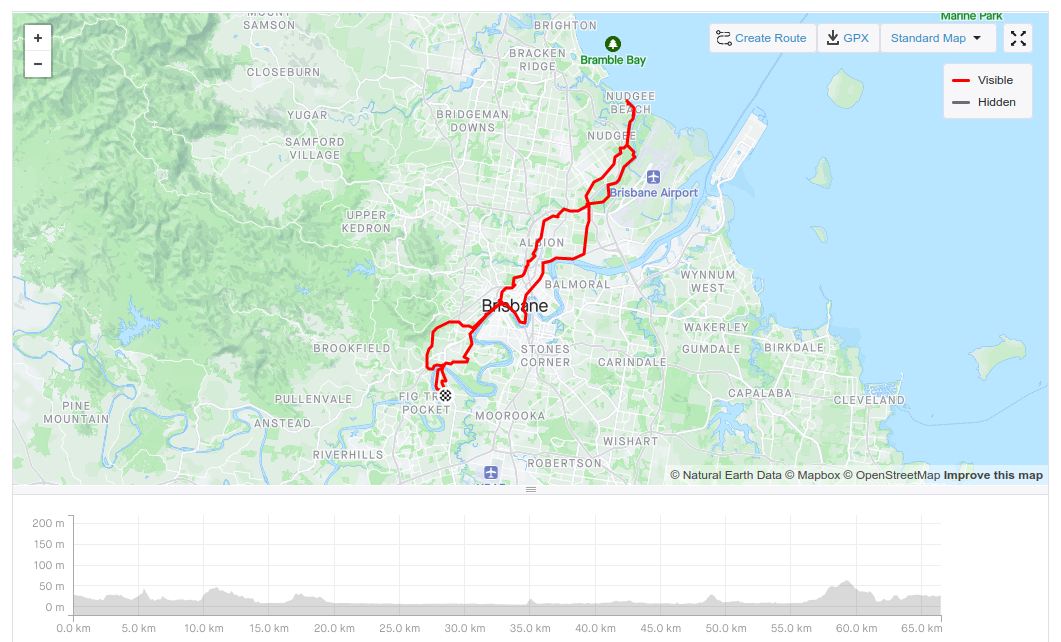
I’ve built libgphoto2 so (for supported cameras) you can perform tethered shooting. Like this: One final thing – I’m aware that there’s the 1.6.8 release out there, I’m planning to get to that in a week or so. Last week I went for a ride on a rather grey day. The route was one of my usuals (40.2km in to the Goodwill Bridge), and I shaved a minute or two off the ride time. I was mightily disappointed to find that both ipBike and Strava reckoned I had ridden a bare 100m. This, despite the ipBike summary field claiming “40.270km with 347m climb in 1:43:41”. I had an incident like this happen to me earlier this year and was unable to fix it using SNAP, so I figured it was time to bite the bullet and fix the recorded file – particularly since the temperature, heart rate, cadence all appeared to be correctly recorded. My first pass attempted to make use of Tomo Krajina’s gpxpy, which was fine until I realised that that library cannot handle the TrackPointExtensions that Garmin defined. I then tried to make headway using minidom, but got myself tied in knots trying to create new document nodes. I’m sure I missed something quite obvious there but I’m not really worried. Note in passing – Lode Nachtergaele’s http://castfortwo.blogspot.com.au/2014/06/parsing-strava-gpx-file-with-python.html was really useful, and helped with my final attempt. My final (and successful) attempt uses lxml.etree to pull out the info I need, skip a few points (since the rides had different elapsed times, but somewhat dubious) and then create a new GPX document with the munged data points. While I’ve now ot a close-enough fixed up file, I’m down about 2km on the ride total, and up about 30m on the climbing total (according to Strava). I am quite happy with the results overall, though more than willing to accept that my code (below) is rather fugly. Good thing I’m not integrating this to a project gate!
#!/usr/bin/python
#
# Copyright (c) 2015, James C. McPherson. All Rights Reserved
#
from datetime import datetime, time, date
from copy import deepcopy
from lxml import etree as ET
NSMAP = {
'gpxx': 'http://www.garmin.com/xmlschemas/GpxExtensions/v3',
None: 'http://www.topografix.com/GPX/1/1',
'gpxtpx': 'http://www.garmin.com/xmlschemas/TrackPointExtension/v1',
'xsi': 'http://www.w3.org/2001/XMLSchema-instance'
}
schemaLocation = "http://www.topografix.com/GPX/1/1 http://www.topografix.com/GPX/1/1/gpx.xsd http://www.garmin.com/xmlschemas/GpxExtensions/v3 http://www.garmin.com/xmlschemas/GpxExtensionsv3.xsd http://www.garmin.com/xmlschemas/TrackPointExtension/v1 http://www.garmin.com/xmlschemas/TrackPointExtensionv1.xsd http://www.garmin.com/xmlschemas/GpxExtensions/v3 http://www.garmin.com/xmlschemas/GpxExtensionsv3.xsd http://www.garmin.com/xmlschemas/TrackPointExtension/v1 http://www.garmin.com/xmlschemas/TrackPointExtensionv1.xsd"
gpxns = "{http://www.topografix.com/GPX/1/1}"
extns = "{http://www.garmin.com/xmlschemas/TrackPointExtension/v1}"
reftracks = []
failtracks = []
def parseTrack(trk, stime, keep=None):
tracks = {}
for s in trk.findall("%strkseg" % gpxns):
for p in s.findall("%strkpt" % gpxns):
# latitude and longitude are attributes of the trkpt node
# but elevation is a child node in its own right
el = {}
el['lat'] = p.get("lat")
el['lon'] = p.get("lon")
el['ele'] = p.find("%sele" % gpxns).text
if keep:
el['trkpt'] = deepcopy(p)
rfc3339 = p.find("%stime" % gpxns).text
try:
t = datetime.strptime(rfc3339,
'%Y-%m-%dT%H:%M:%S.%fZ')
except ValueError:
t = datetime.strptime(rfc3339,
'%Y-%m-%dT%H:%M:%SZ')
sec_t = int(t.strftime("%s"))
el['time'] = rfc3339
tracks[sec_t - stime] = el
return tracks
##
# Main routine starts here.
##
rf1 = open("goodfile")
ff1 = open("dodgyfile")
rf = ET.parse(rf1)
ff = ET.parse(ff1)
rstimestr = rf.getroot().find("%smetadata" % gpxns).find("%stime" % gpxns).text
rstime = int(datetime.strptime(rstimestr,
"%Y-%m-%dT%H:%M:%SZ").strftime("%s"))
fstimestr = ff.getroot().find("%smetadata" % gpxns).find("%stime" % gpxns).text
fstime = int(datetime.strptime(fstimestr,
"%Y-%m-%dT%H:%M:%SZ").strftime("%s"))
for track in rf.findall("%strk" % gpxns):
reftracks.append(parseTrack(track, rstime, False))
for track in ff.findall("%strk" % gpxns):
failtracks.append(parseTrack(track, fstime, True))
# Now we need to fix node attributes in failtracks
# We're being lazy, so assume only one key for now
rpts = len(reftracks[0].keys())
fpts = len(failtracks[0].keys())
if fpts > rpts:
skipn = fpts % rpts
else:
skipn = rpts % fpts
# create a "fixed" track
ntrack = ET.Element("trk")
ntrkname = ET.SubElement(ntrack, "name")
ntrkname.text = ff.find("%strk" % gpxns).find("%sname" % gpxns).text
ntseg = ET.SubElement(ntrack, "trkseg")
for (n, v) in enumerate(failtracks[0]):
if n % skipn is 0:
continue
badn = failtracks[0][n]['trkpt']
goodn = reftracks[0][n]
badn.set('lat', goodn['lat'])
badn.set('lon', goodn['lon'])
badne = badn.find("%sele" % gpxns)
badne.text = goodn['ele']
extn = badn.find("%sextensions" % gpxns)
badn.append(extn)
ntseg.append(badn)
# write a new file....
newf = open("fixedp.gpx", "w")
gpx = ET.Element("gpx", nsmap=NSMAP)
gpx.set("creator", "James C. McPherson")
gpx.set("version", "1.1")
gpx.set("{http://www.w3.org/2001/XMLSchema-instance}schemaLocation",
schemaLocation)
gpx.append(ntrack)
et = ET.ElementTree(gpx)
et.write(newf)
newf.close()
|